
As of mid-2026, Layers seeds historical search data automatically on install by reading the last 30 days of search terms directly from your Shopify storefront. You do not need to run the manual export below for a typical install. Use this guide only if the support team asks you to, or if you want to supply searches that the automatic import didn’t cover.
- The automatic import returned very few terms (for example, the store is brand new on Shopify and has limited search history).
- You want to seed a longer window of history (the automatic import covers the last 30 days; the manual export below covers 60).
- Layers Support asks you to provide a JSONL export for an investigation.
Prerequisites
- You have a Shopify store with Layers installed.
- You have access to Shopify Analytics in your Shopify admin.
Export your top searches
- In your Shopify admin, go to Analytics → Reports.
-
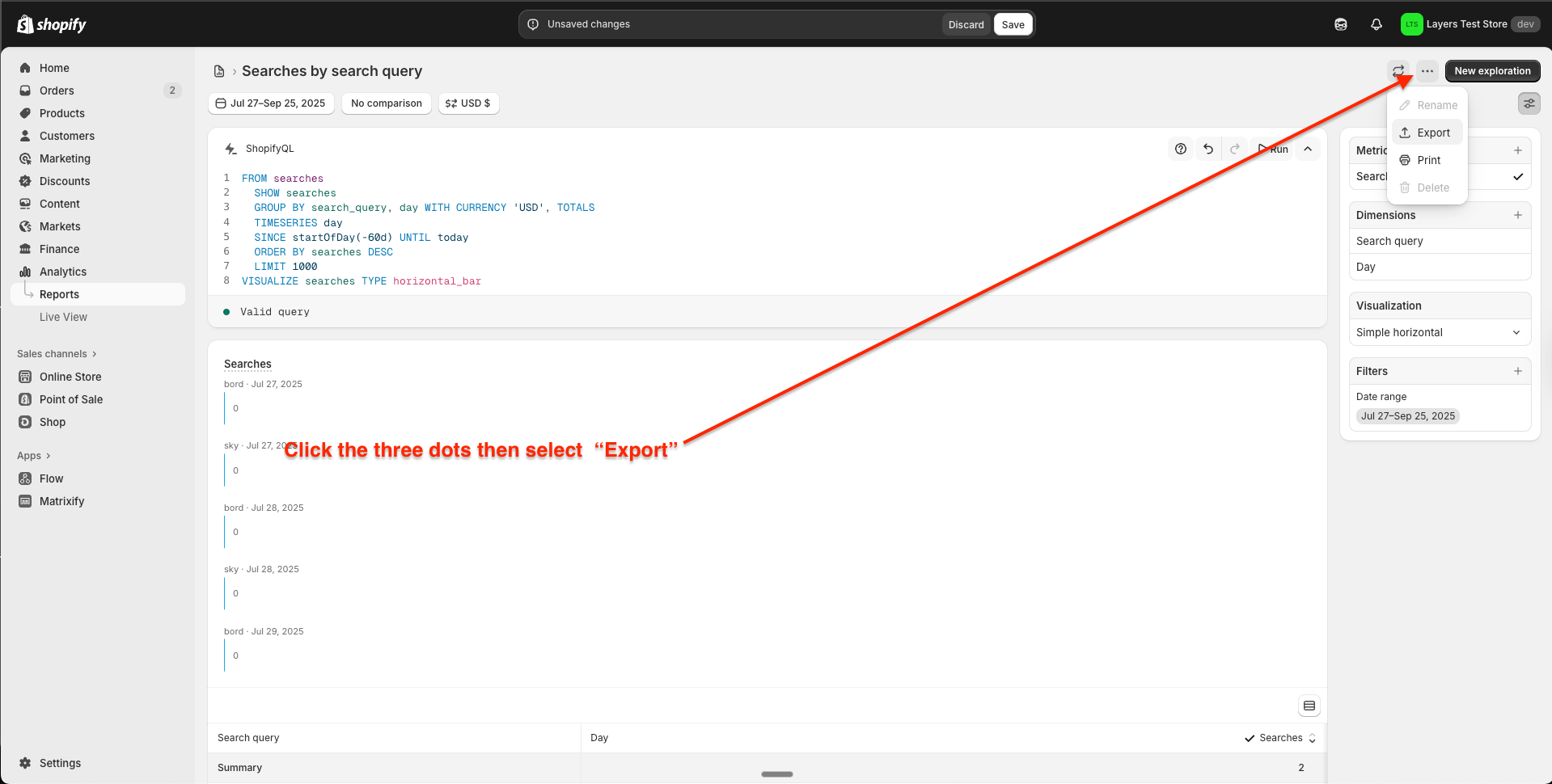
Open the ShopifyQL editor and run the following query to export the top searches from the past 60 days:
-
Export the results as JSONL.
Upload the export
Upload the JSONL file yourself from Settings → Sample Data → Upload Sample Data. Layers validates the format in the browser and processes the file in the background. See Seeded search data for the required field format and upload steps. If you cannot upload the file — for example because you need Layers to merge it with an existing seed — send it to Layers Support instead.Next steps
- Return to the Demo store setup guide to complete your store configuration.
- Learn more about how Layers uses search data in Metrics.